

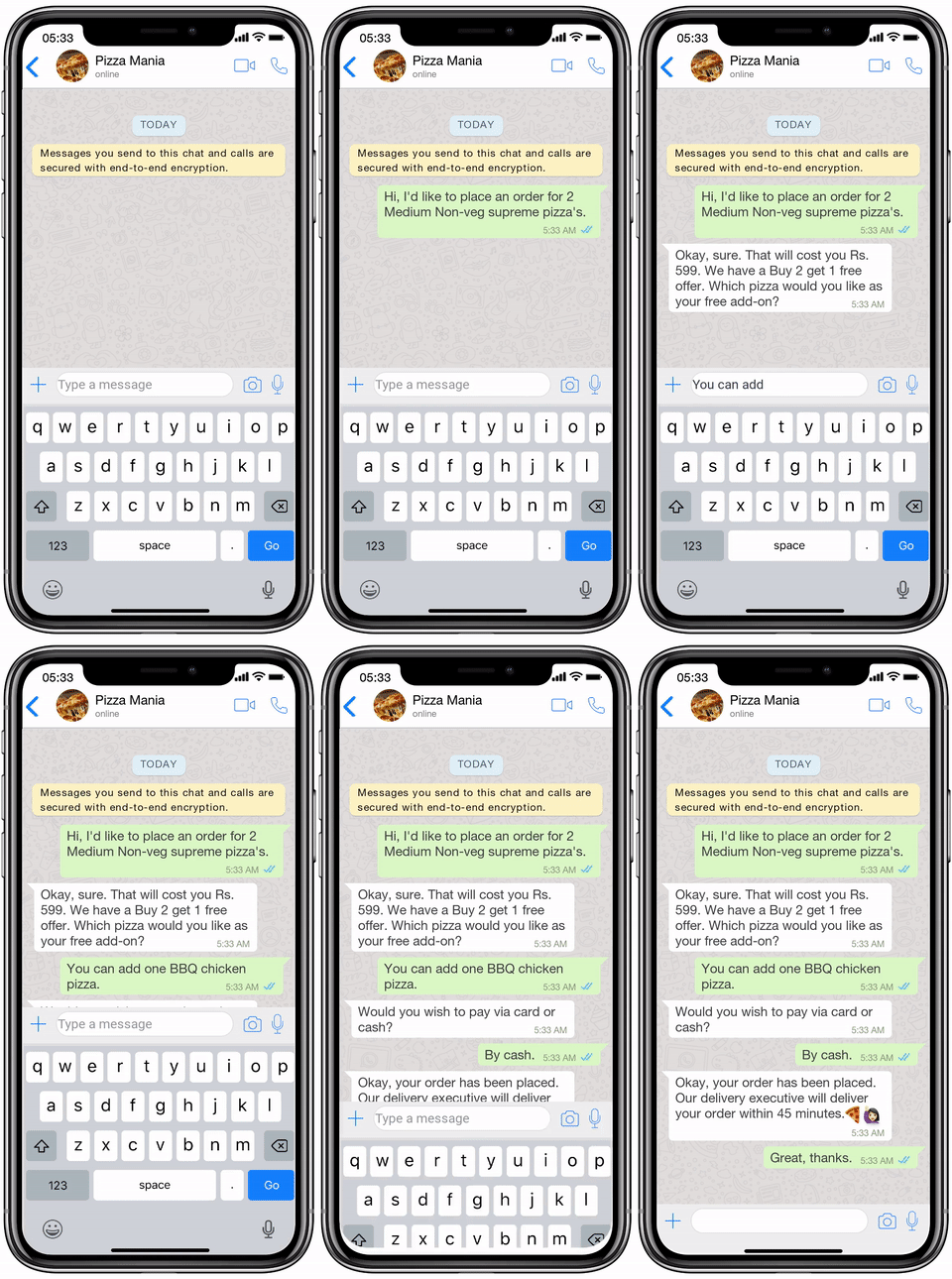
Automate your conversations and boost your marketing strategy
Address

Bowery St, New York

Feature Detail

Auto Responder (BOT)

If you are looking for how to set auto-reply in WhatsApp business and WhatsApp auto-reply message sample, you are at the right place. In this post, we’ll help you understand the nitty-gritty of WhatsApp Chatbots. To start off with, let’s talk about how auto-response for WhatsApp works.

  • Understand where this feature fits inside the broader communication workflow.
  • See the operational value behind the feature, not only its label.
  • Use the detail page to decide whether the feature aligns with your current needs.
Home / Auto Responder (BOT)
Feature role
A practical product capability inside the platform workflow
Best used for
Teams evaluating operational fit before choosing a plan
Next decision
Continue to pricing or review other capabilities
  • Workflow Fit
  • Operational Value
  • Product Detail
Auto Responder (BOT)
Overview

Auto Responder (BOT)

This feature page is meant to connect the capability to a real operational need so teams can judge relevance more clearly.

If you are looking for how to set auto-reply in WhatsApp business and WhatsApp auto-reply message sample, you are at the right place. In this post, we’ll help you understand the nitty-gritty of WhatsApp Chatbots. To start off with, let’s talk about how auto-response for WhatsApp works.

Why do you need the WhatsApp auto-reply feature? It is obvious that auto-reply is an essential feature for every kind of business. But why? Let us elaborate. Instant messaging, in its essence, is meant to be immediate at all times. WhatsApp as a platform has more than 2 billion users available and active at varied times. Businesses move to WhatsApp to take advantage of this very fact, but unfortunately, this isn't always possible due to reasons like limited working hours and a shortage of human resources. This is where WhatsApp Auto-replies come in. With auto-replies, you can always be available to greet and respond to customers even outside your working hours. This allows you to: Be available to your customers 24/7 Make a strong impression on new customers by greeting them with a customised welcome message. Inform your customers about your available hours and set a response time expectation. Collect customer data using a pre-chat survey quiz or through AI automated conversations This increases customer satisfaction and gives your business an upper hand against competitors. WhatsApp auto replies make life much easier for all growing businesses.

Why this feature matters

The real value of a feature is how much operational friction it removes and how clearly it helps the team execute day after day.

  • Helps translate product capability into workflow value
  • Useful when comparing practical fit across multiple features
  • Connects feature understanding to pricing and onboarding decisions

Product detail should support a decision, not just describe a tool

This page is built to help visitors understand when the feature is useful, how it fits into a workflow, and what next step makes sense after reviewing it.

Pricing to suite all size of business

*We help companies of all sizes
Basic

Rp20,000.00 /month

  • Messages limit (unlimited)
  • Contact limit (100)
  • Device limit (100)
  • Template limit (100)
  • Apps limit (10)
  • Chatbot
  • Bulk message
  • Schedule message
  • Access chat list
  • Access group list
Enterprise

Rp100,000.00 /month

  • Messages limit (unlimited)
  • Contact limit (unlimited)
  • Device limit (unlimited)
  • Template limit (unlimited)
  • Apps limit (unlimited)
  • Chatbot
  • Bulk message
  • Schedule message
  • Access chat list
  • Access group list
Free

Rp1,000.00 /month

  • Messages limit (unlimited)
  • Contact limit (unlimited)
  • Device limit (unlimited)
  • Template limit (unlimited)
  • Apps limit (unlimited)
  • Chatbot
  • Bulk message
  • Schedule message
  • Access chat list
  • Access group list
Starter

Rp30,000.00 /month

  • Messages limit (1000)
  • Contact limit (100)
  • Device limit (3)
  • Template limit (20)
  • Apps limit (10)
  • Chatbot
  • Bulk message
  • Schedule message
  • Access chat list
  • Access group list